

Sony ACCESS™ CONTROLLER | PlayStation 5
Sony ACCESS™ CONTROLLER | PlayStation 5
PlayStation Portal™ Remote Player
Product Highlights
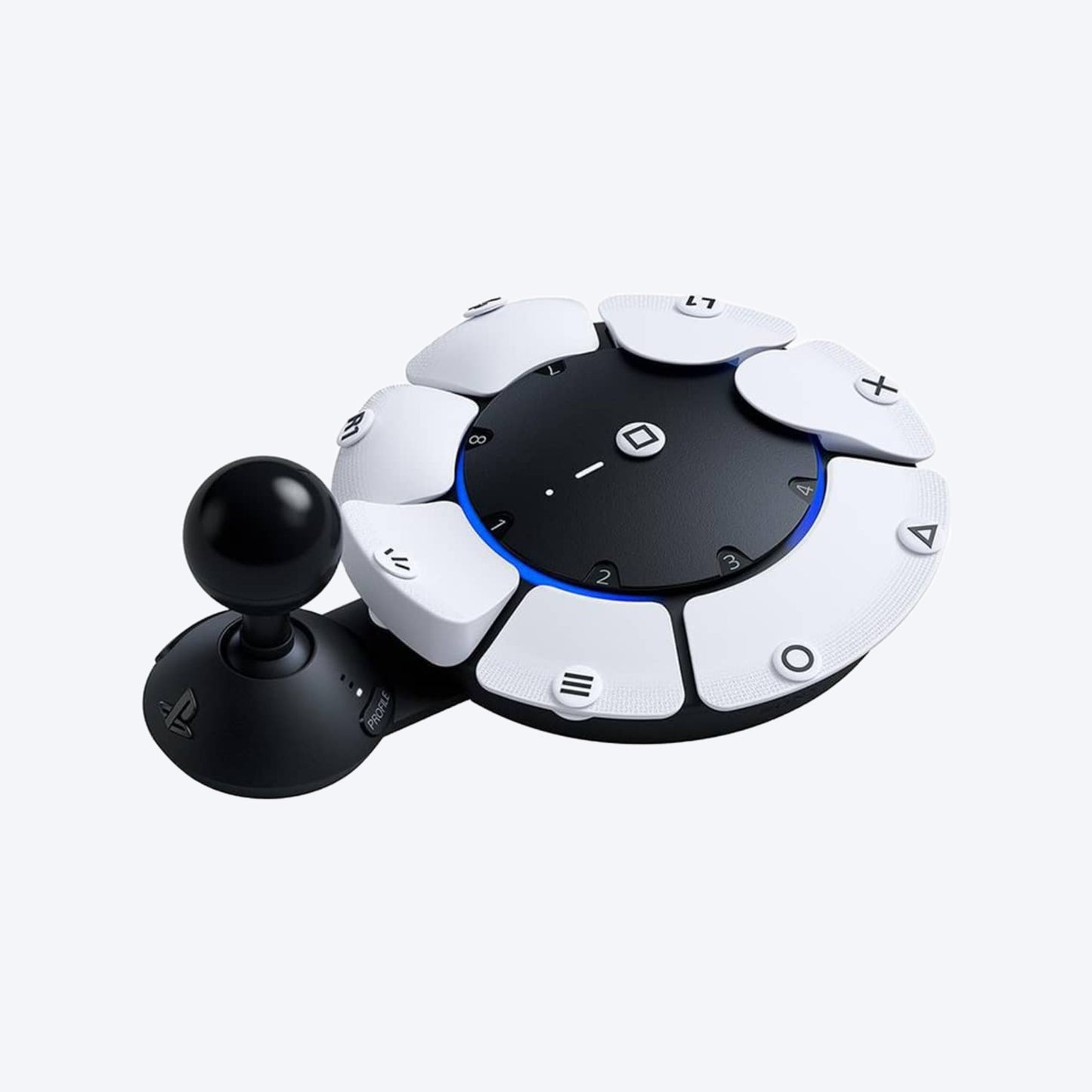
- Introducing the Access controller, a versatile controller kit that can be customised to meet players’ diverse needs, designed in close collaboration with the accessibility community to help players with disabilities play more comfortably for longer.
- Swappable button and stick caps: Configure the Access controller's button layout to suit your range of mobility and switch between the included stick caps to find the shape and texture that works best for you.
- Adjustable stick length: Lengthen or shorten the control stick’s extension arm, then lock it down at your ideal length for comfort and convenience.
- Built for easy access: Place the controller wherever play is most comfortable for you: from any 360° orientation, on different flat surfaces, a wheelchair tray, or attached to an AMPS pattern mount
- Join forces with other controllers Use up to two Access controllers together as a single virtual controller, or combine one or two Access controllers with a DualSense™ or DualSense Edge™ wireless controller to add features like haptic feedback, adaptive triggers, motion sensor, and touch pad swipe to your setup.
- Add extra control devices Connect additional buttons, speciality trigger switches and other compatible accessories via the Access controller's four industry standard 3.5mm expansion ports, and configure their inputs via your PS5® console settings.
- Custom profiles Configure up to 30 individual control profiles from your PS5 console settings, store three profiles on the Access controller and quickly switch between them with a dedicated button, enabling you to use the most suitable control layout and button functions for what’s happening in-game.
- Configurable buttons Map button inputs so the commands you need are exactly where you want them, set button presses to toggle commands on/off or to serve as a single-press input, or disable buttons altogether to stop accidental pressing. You can even map two commands to a single button for more user-friendly play.
- Adjustable stick settings Calibrate the “north” direction for flexible positioning of the controller. Tailor stick sensitivity and deadzone to better suit your personal control needs.
*PlayStation Portal™ Remote Player can stream compatible games installed on your PS5 console. PlayStation Portal™ Remote Player requires broadband internet Wi-Fi with at least 5Mbps for use. For a better play experience, a high-speed connection of at least 15Mbps is recommended. The quality and connectivity of your play experience may vary depending on your network environment. A PS5 console and account for PlayStation Network is required. The PS5 console must be connected to a broadband internet connection, powered on fully or in Rest Mode, and it must be paired with your PlayStation Portal™ Remote Player.
**Games that require a VR headset (PlayStation VR or PlayStation VR2) or additional peripherals (other than a DUALSHOCK 4, DualSense, or DualSense Edge wireless controller) are not compatible. Games that must be streamed on PS5 using a PS Plus Premium membership are not compatible. Haptic feedback and adaptive trigger features available when supported by game.
***Individual game performance will vary based on the specific game being played, and the quality of connectivity in your network environment.
****Haptic feedback and adaptive trigger features are only available when those features are supported by the game being played.
